Features
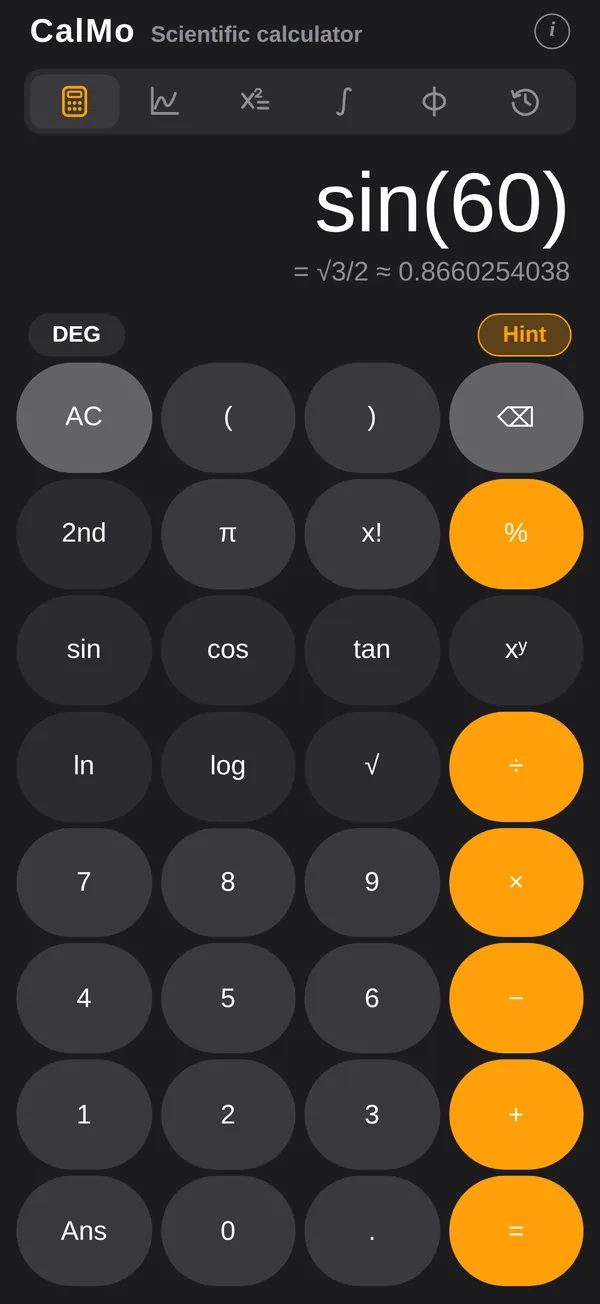
Scientific calculator
Scientific calculator with 2nd functions, factorial, an Ans key, DEG/RAD and a live preview
Exact answers
Exact answers: fractions, square roots and multiples of π (1/3, √3/2, π/6)
Complex numbers
Complex numbers, opt-in: √−1 = i, results as a + bi or r∠θ, exact when possible, drawn in the complex plane
Polynomials and inequalities
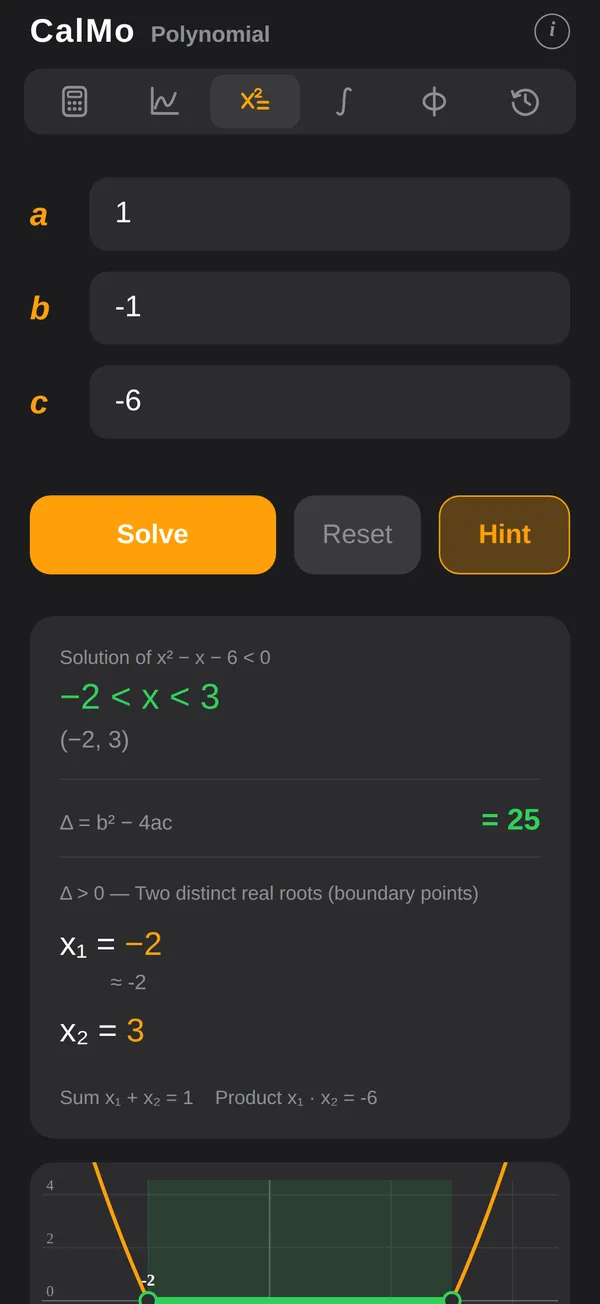
Quadratic and cubic equations and inequalities, with exact roots and a plot
Linear systems
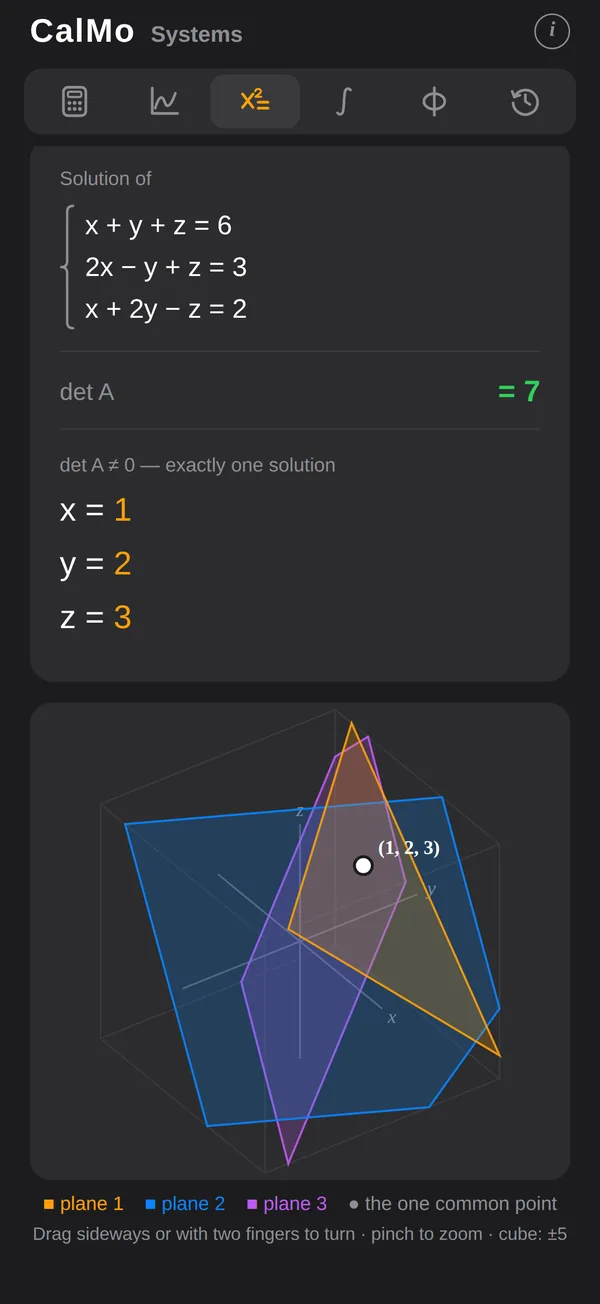
Linear systems 2×2 and 3×3, solved exactly with fractions, with a 3D view of the three planes
Trigonometric, exponential and logarithmic equations
Trigonometric, exponential and logarithmic equations, with general solutions and steps
Any equation
Solve any equation f(x) = g(x) in a range, with both sides plotted
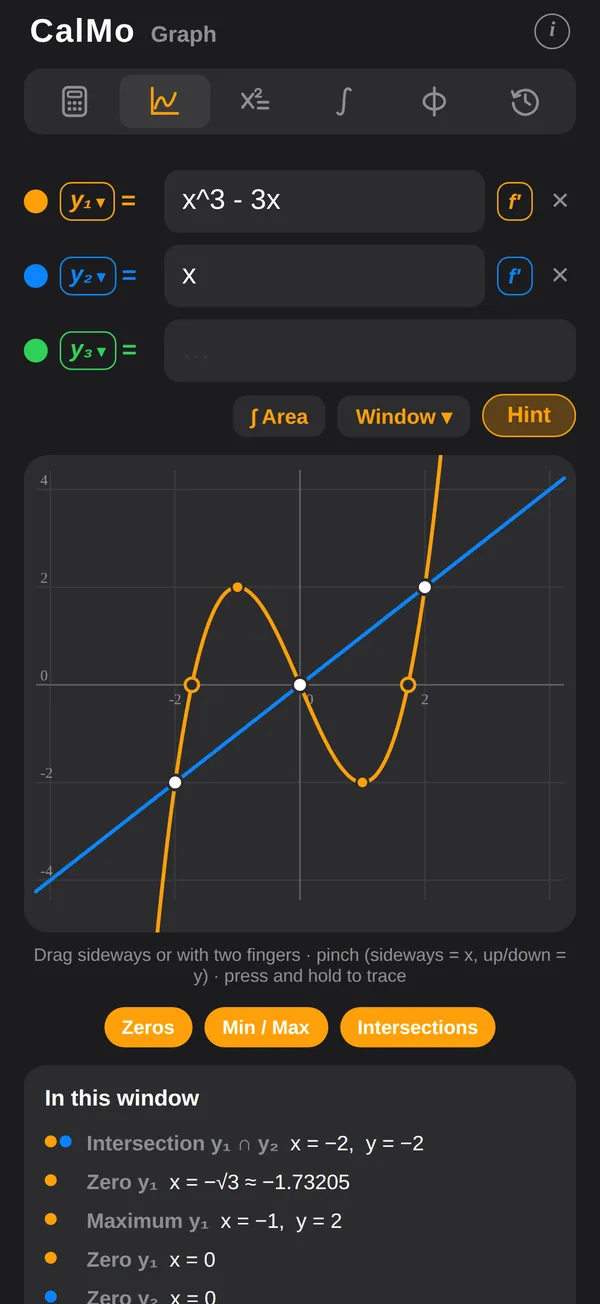
Graphing
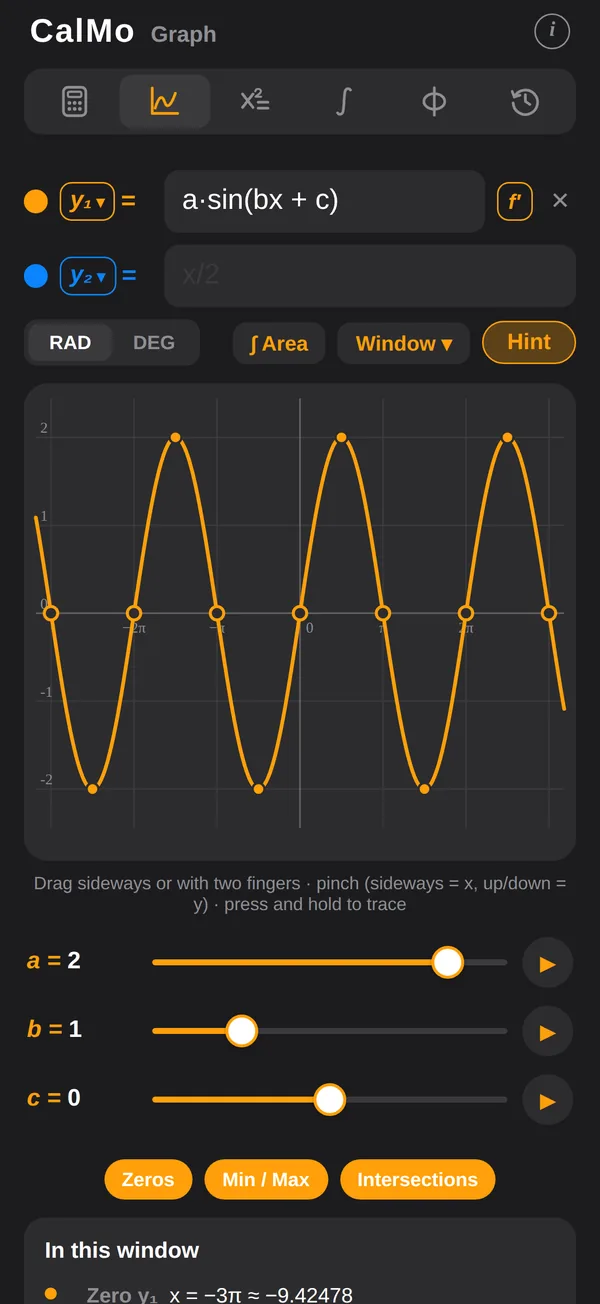
Graph up to four functions: zoom, trace, and find zeros, extrema and intersections with exact values
Calculus
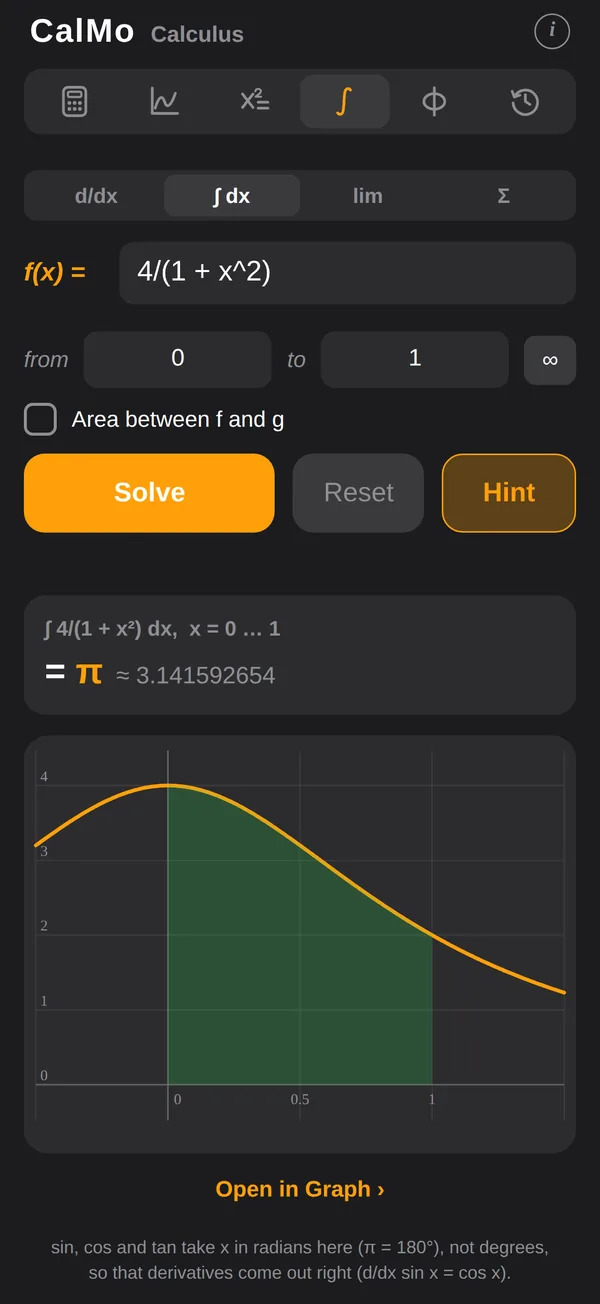
Calculus: derivatives with tangent lines, definite integrals, limits, Taylor polynomials and sums of series
Physics with units
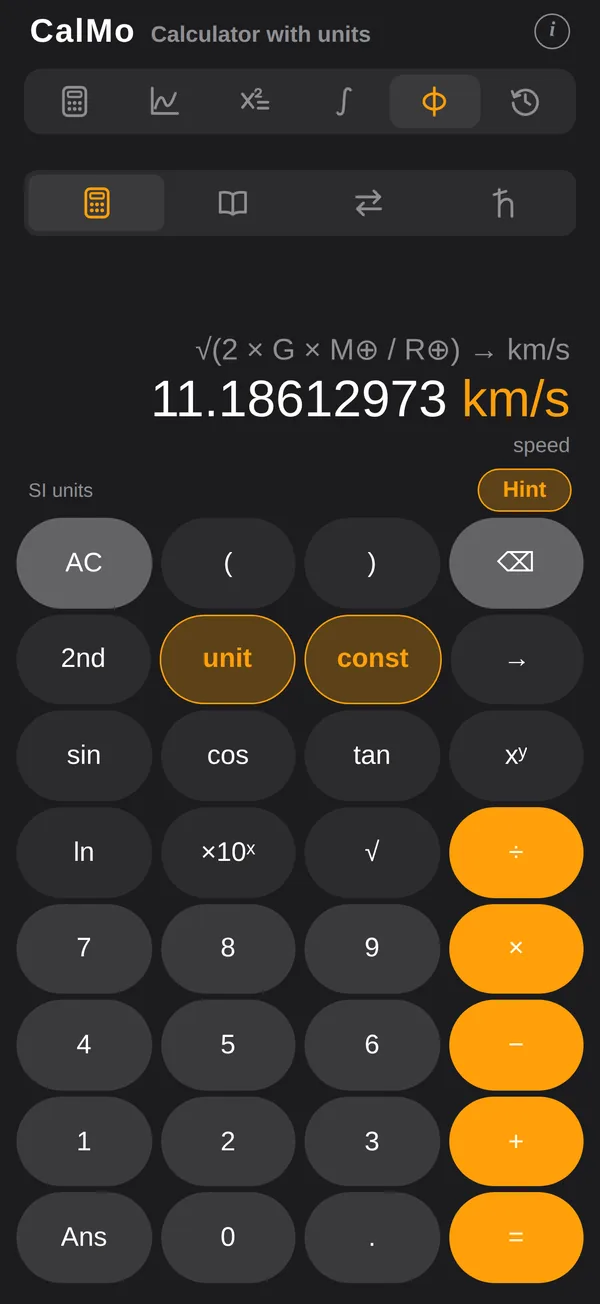
Physics with units: calculate with units and constants (70 kg × 9.81 m/s² = 686.7 N), convert between units, and look up the CODATA 2022 constants
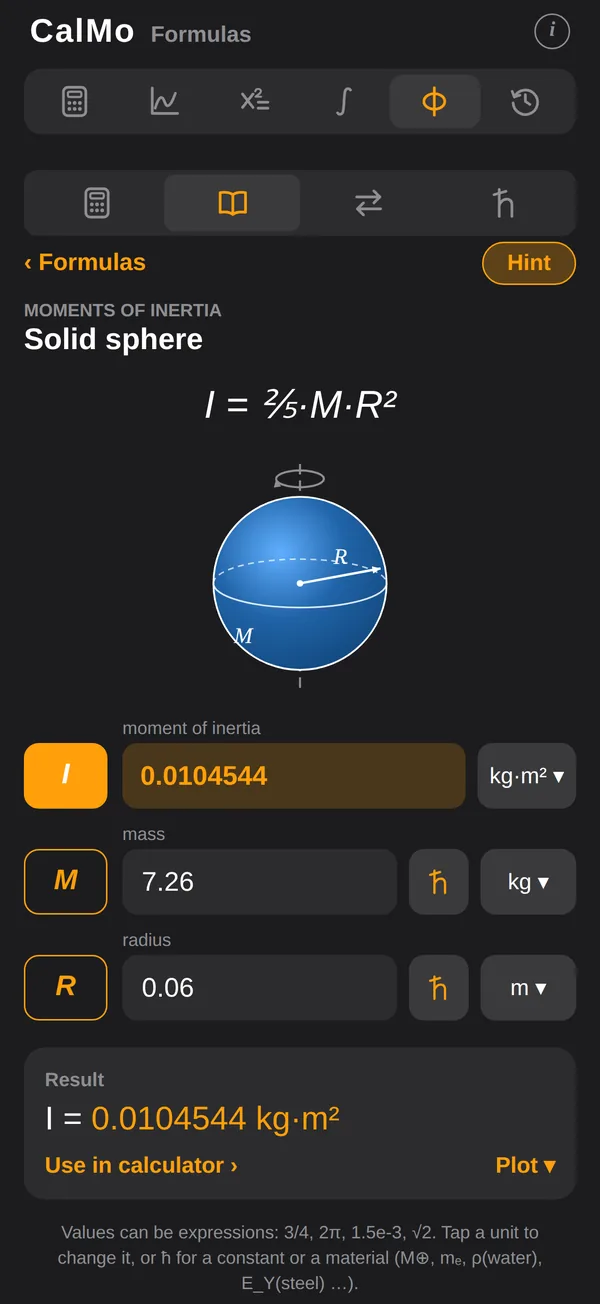
359 formulas with sketches
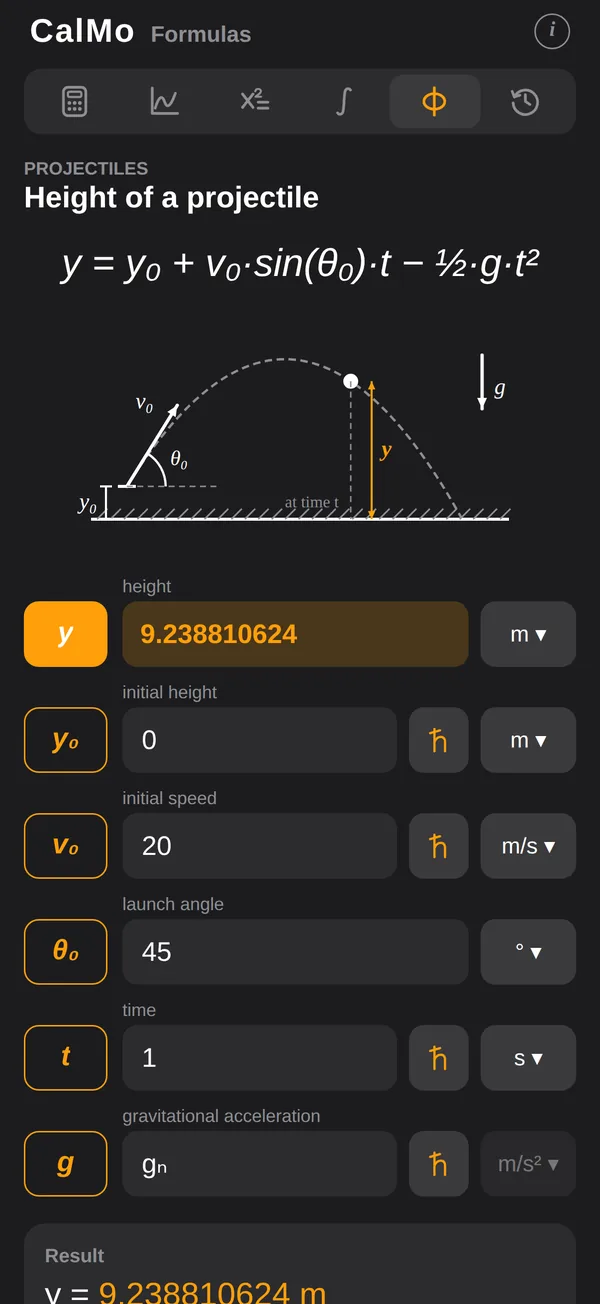
359 formulas of mathematics, physics and chemistry: leave one value empty and it is calculated; plot the result against time or any other variable, compare curves and draw trajectories; 28 books, from geometry and probability to particle detectors, each formula with a labelled sketch
Elements and materials
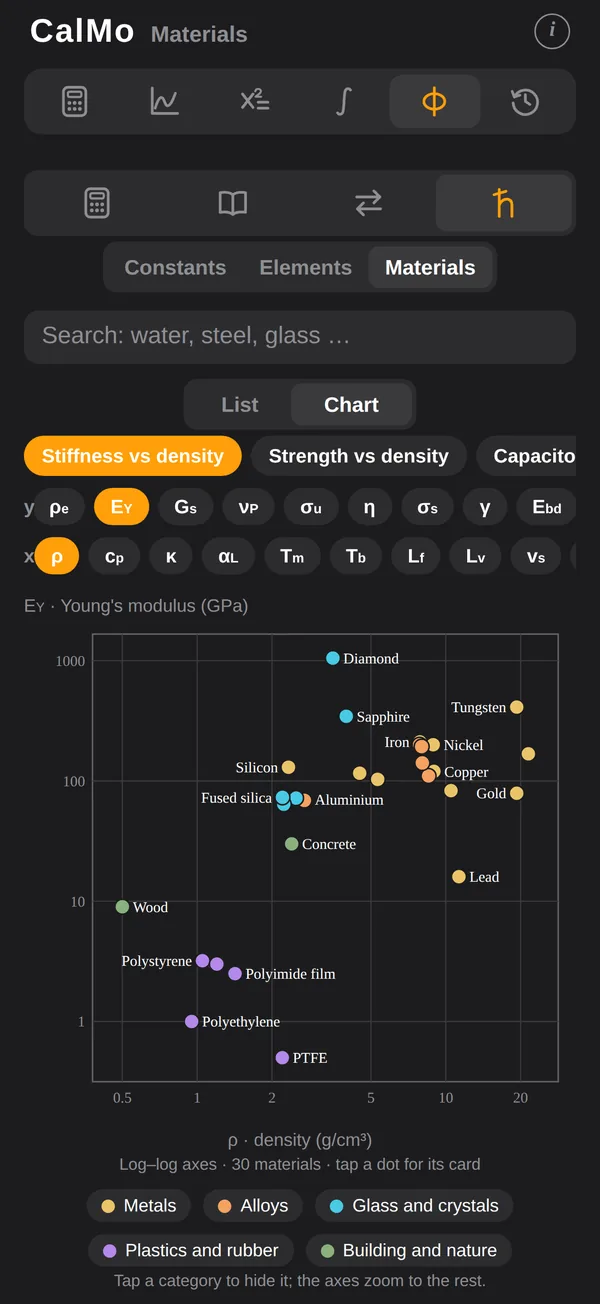
Periodic table of the 118 elements and 65 common materials — density, resistivity, Young’s modulus, refractive index … — to use in any calculation: ρ(water), E_Y(steel)
History in iCloud
History of every result, synced through your own iCloud — reuse any earlier answer with → Ans. On Android, it stays on your phone
Made for math
A keypad made for math, key clicks and haptics, and eight colour schemes
Completely free
Completely free: every feature included, no in-app purchases, no subscription, no ads — works offline, no account needed
Screenshots
Frequently Asked Questions
How do I get exact answers?
Just calculate. When a result has a simple closed form — a fraction, a square root or a multiple of π — CalMo shows it in colour under the decimal, for example sin 60° = √3/2. Numbers you type in yourself are never “guessed” into exact forms.
What does the 2nd key do?
It switches sin, cos and tan to their inverses, ln to eˣ, log to 10ˣ, π to e, √ to ∛x, x² to %, 1/x to x! and xʸ to ʸ√x. Tap 2nd again to switch back. With 2nd on, AC becomes Clr Ans: it clears the entry and the previous answer.
How do I solve an inequality?
In the Equations tab choose Polynomial, enter the coefficients and pick <, ≤, > or ≥ under the equation. The solution is shown in both notations and shaded on the plot.
Why doesn’t “f = g” find a solution?
It only searches the range you set (by default −10 to 10; 0 to 360 in DEG when the equation uses trigonometry). Widen the range, and check that functions are written as sin(x) or sin x.
How do I reuse an earlier result?
Press Ans To combine two results, tap the first, press an operator such as ÷, then tap the second in History: after an operator, a result is added to your calculation instead of replacing it. to insert the previous answer. In the History tab, tap a calculation to continue with its result, press and hold it to edit it, or tap → Ans to use it in your current calculation. Tap an equation, graph or calculus entry to reopen it.
How do I use the graph?
Type up to four functions in the Graph tab. Drag sideways with one finger, or in any direction with two (swiping up or down scrolls the page); pinch with your fingers side by side to zoom x only, one above the other for y only, diagonally for both. Press and hold to trace a curve; double-tap to reset. Window sets exact ranges and switches the x-axis between multiples of π and decimals.
Why does the Calculus tab use radians?
Formulas such as d/dx sin x = cos x hold only when x is in radians (π rad = 180°), so the calculator’s DEG setting does not apply to derivatives, integrals, limits and series.
Is CalMo free?
Yes. Every feature is included — equations, graphs, calculus, physics with formulas, elements and materials, the full history and all colour schemes — with no in-app purchases, no subscription and no ads.
How do I type formulas quickly?
Numbers go in with CalMo’s own keypad — Next moves to the next field. When you type a formula, a row of math keys (x, ^, √, π, sin, ln …) sits on top of the keyboard. You can write 2x, x(x + 1) or x sin x without a multiplication sign.
How do I calculate with units?
Open the Φ tab. Type a number, then tap unit to add a unit or const to add a constant: 70 kg × 9.81 m/s² gives 686.7 N. Results are simplified to named SI units (J, N, W, Pa …); to see one in another unit, add → and a unit, for example mₑ × c² → MeV. Adding quantities that don’t match, such as 3 m + 2 s, is refused with the reason. The Φ tab also has a unit converter and a list of physical constants with their uncertainties.
How do I use the formulas?
In the Φ tab open Formulas (the book icon) and pick one, for example Discharging a capacitor. Fill in every value but one: the empty one is calculated as you type, in the unit you choose. The ħ button beside a field offers constants, molar masses and the properties of elements and materials. Tap Plot to see the result against time or another variable; Compare draws one curve per value, and Trajectory draws the path of a projectile.
How do I use the properties of elements and materials?
In the Φ tab open the constants (ħ) and switch to Elements or Materials. Tap an element or a material to see its properties, and tap a property to use it in the calculator. You can also type them: ρ(Fe) × 1 cm³ → g, ρ_e(copper) × 10 m / 1.5 mm² → mΩ, T_b(LN2) → °C. Values are at 20 °C and 1 atm unless noted; for alloys, plastics and glass they are typical values.
How do I use complex numbers?
They are off by default, so the calculator stays simple. Turn them on in About (the i button) → Complex numbers; a ℂ appears beside DEG. Then √−1 = i and results are written a + bi, exactly when possible (√3/2 + (1/2)i), with a small drawing in the complex plane. Tap the ℂ for i, ∠ (polar entry: 2∠30), conj, |z|, arg, Re and Im; tap the result to see it as r∠θ or r·e^(iθ). In Equations → Polynomial the roots are also drawn in the complex plane. The same panel has Turn off; About turns them on again.
Privacy Policy
CalMo stores your calculation history and your colour scheme on your device and, if you are signed in to iCloud, in your private iCloud storage, so that they sync across your own devices — this data belongs to your iCloud account and is never accessible to us. CalMo has no servers, collects no personal information, and uses no analytics, no advertising and no accounts. On Android, the history and colour scheme stay on your phone; if you use Android's backup, they are included in your own Google backup, which is never accessible to us either.
Contact Support
Have a question, found a bug, or want to suggest a feature? Send an email and we'll get back to you.
Email Support